
Automatic placement of multi-page PDFs in the editor
The configuration of Content Groups enables efficient automation in the editor by logically linking related placeholders. By assigning specific attributes, the individual pages of an uploaded multi-page PDF document are automatically mapped to the correct target areas.
Configuring PFBlocks in the IDML
A separate PFBlock must be created for each target page in the template. Control is handled via two specific attributes:
Create PFBlocks
For each page to be populated, create an image frame tagged with PFBlock (tool Rectangle Frame), and assign the attributes content-group and content-group-select-page as follows:
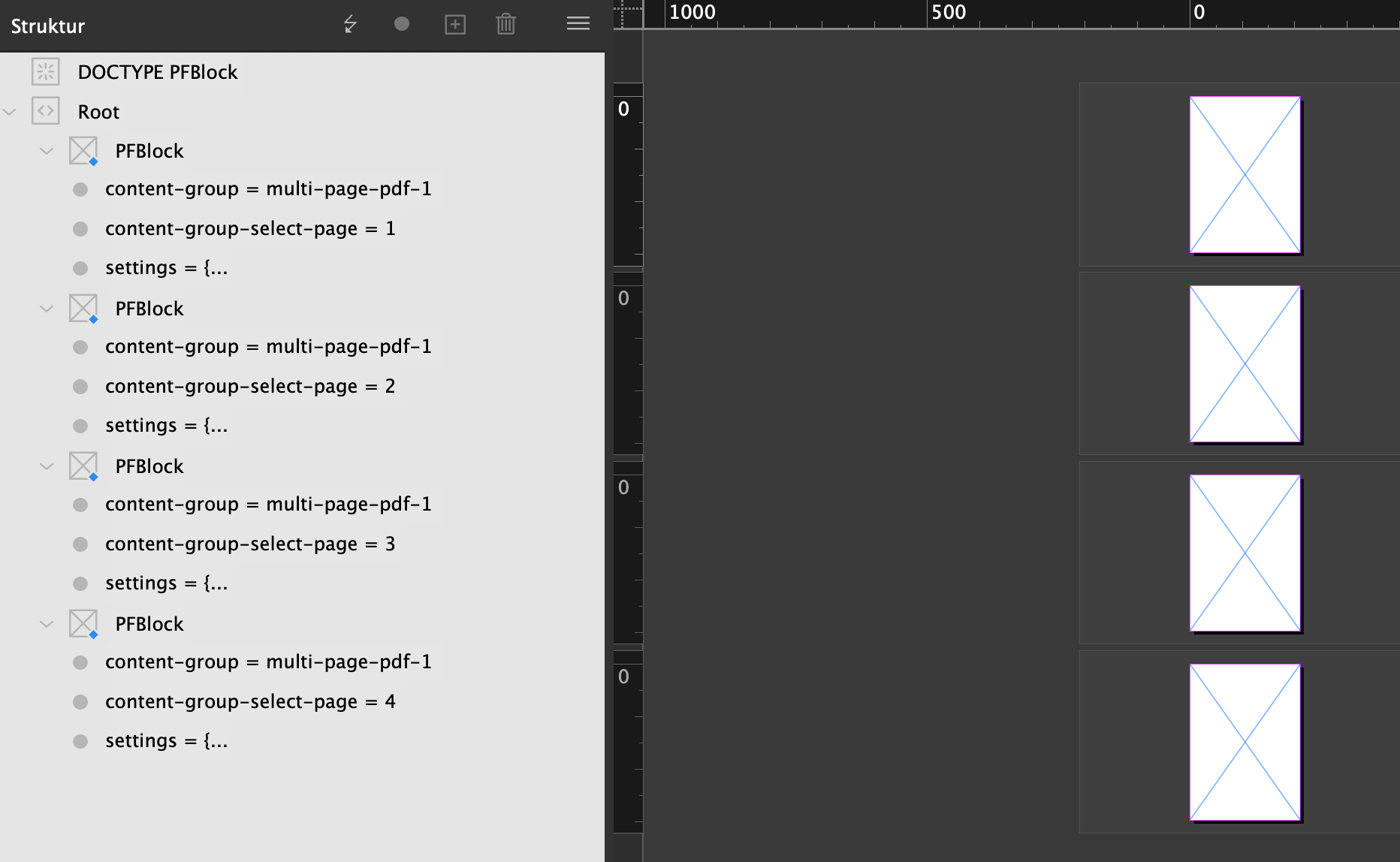
Example for a two-page layout:
PFBlock 1 (for PDF page 1):
content-group=multi-pagecontent-group-select-page=1
PFBlock 2 (for PDF page 2):
content-group=multi-pagecontent-group-select-page=2
Attributes | ||
|
The values listed under Name are standalone attributes on the PFBlock tag and are each entered as a Name; the possible Value options are listed in the second column. If the cell is empty, the value is freely selectable. | ||
|---|---|---|
Name | Values (constraints) | Usage |
content-group | Freely selectable | Groups related placeholders. All blocks with the same name form a logical unit. |
content-group-select-page |
| Determines which PDF page is inserted into this specific block |
settings | general block defaults | |
Note: Assigning unique group names is especially important when multiple independent PDF uploads (e.g., a data sheet and a certificate) are to be processed simultaneously within a single template. | ||
Behavior in the Editor
As soon as the user uploads a PDF:
Assignment: The system checks the
content-group.Distribution: The pages of the PDF are distributed to the blocks based on the numbering in
content-group-select-page.Flexibility: Multiple blocks can also reference the same page (e.g., page 1 as the main image and additionally as a small preview image on another page).

For error-free processing, the PDF versions (PDF/X) of the (template) background PDF and the upload PDF must strictly match. To avoid issues in the editor, PDF/X standards should be avoided.